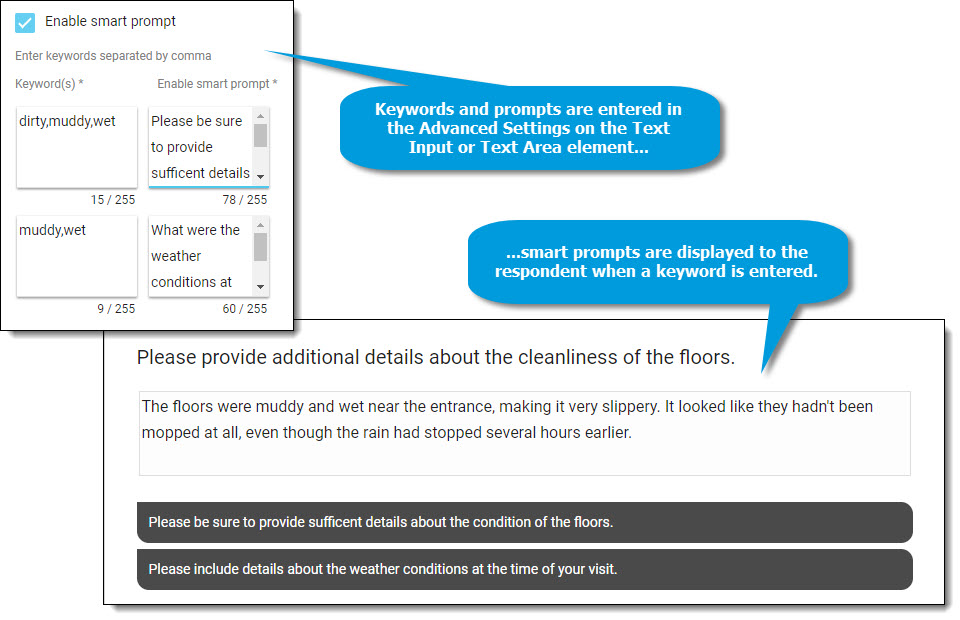
With the smart prompt feature, Text Input and Text Area elements on a survey can be configured to display prompts to the respondent if/when specific keywords are entered.
This feature can be used to help ensure respondents are providing adequate details to support their comment and consistently provide detailed and actionable data.
When smart prompt is enabled, enter:
- The keyword(s) that will trigger the prompt; separate multiple words with a comma.
- The prompt that will be displayed when a keyword is entered by a respondent. A maximum of two prompts can be displayed at a time.
Translations for keywords and prompts can be entered on the Translation tab.